Menubar first
Open a compact live board from the menu bar, then drop back out once you have the answer.
Scorebar starts as a compact football check-in from the macOS menubar, then expands into a structured workspace for tournaments, teams, players, standings, World Cup brackets, and match prediction context.
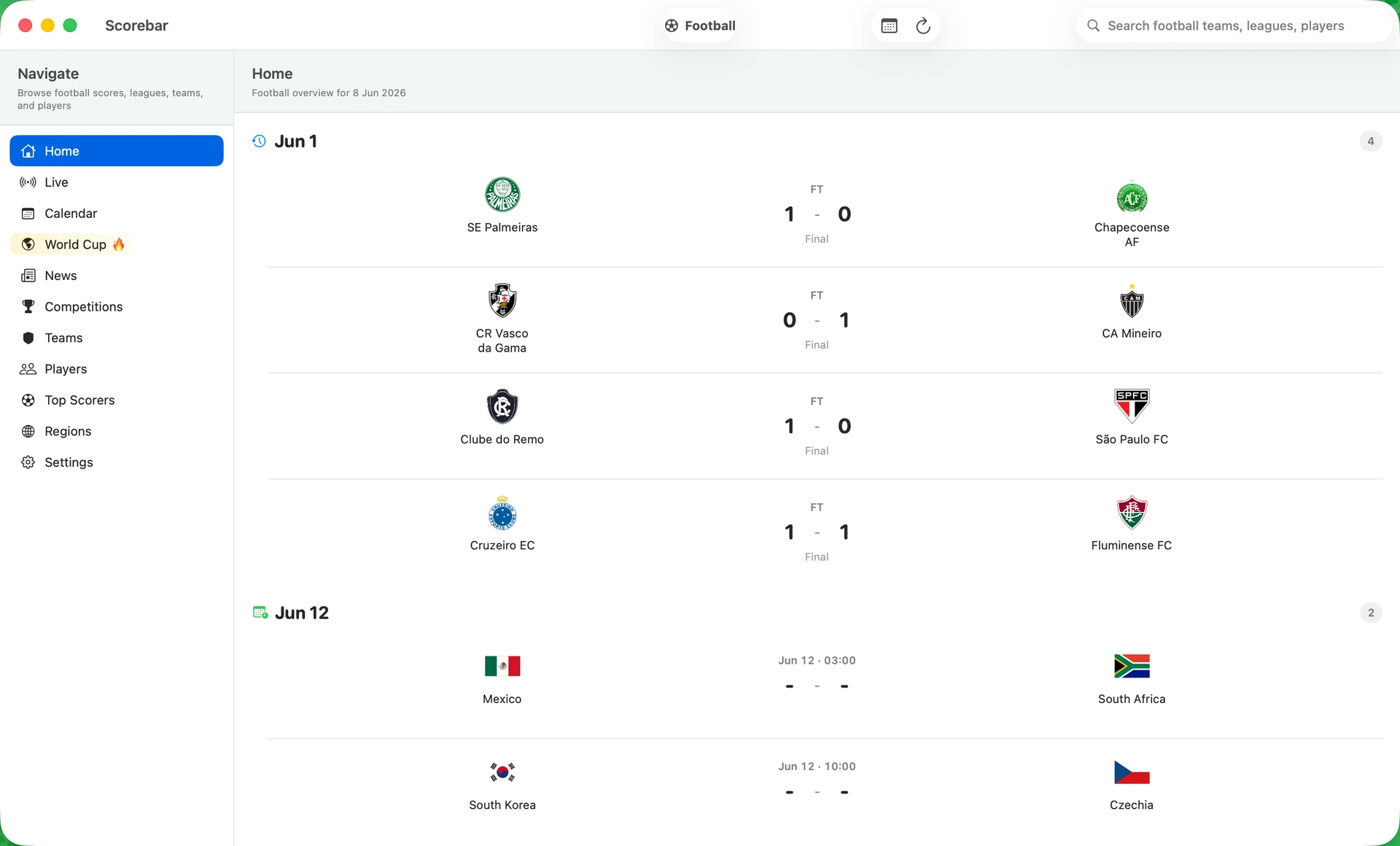
The current product splits into a fast score surface and a deeper football workspace. The site now mirrors that structure instead of advertising a generic live-score utility.
Open a compact live board from the menu bar, then drop back out once you have the answer.
Switch into a full macOS workspace with calendar, competitions, teams, players, scorers, and World Cup navigation.
A match detail is more than a score line. It carries context, standings position, and a cached AI read when the app has enough evidence.
This is a football-native product flow: glance in the menu bar, open a focused workspace, then inspect one match with enough context to be useful.
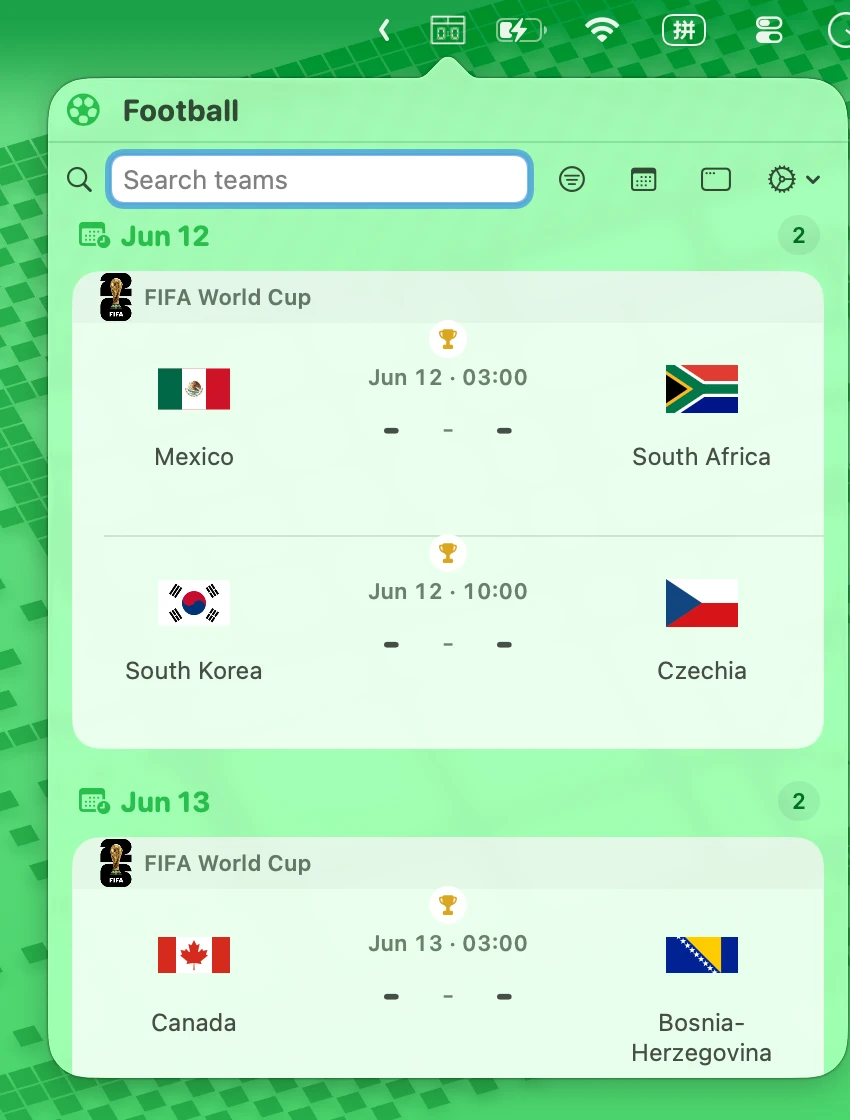
Menubar mode gives you live, today, recent, and next without opening a dashboard.
The main window is a three-column system built for browsing scores, tournaments, teams, and player data without losing context.
Standings, squad context, World Cup bracket placeholders, and prediction cues convert fixtures into something worth opening.
Scorebar is not a copied interface stretched across screens. macOS gets the menubar and a three-column main window. iPhone gets a football feed built around live, today, recent, and next.